
🎨 Color Picker Tool
Upload image and click to get perfect color codes instantly
Table of Contents
Image Color Picker: Instantly Find HEX, RGB & HSL Codes
Have you ever looked at a stunning photograph, a logo, or a piece of digital art and thought, “I need that exact color(color code from an image) for my project”? Finding the precise color code from an image can be a frustrating challenge. Guessing can lead to mismatched designs, but with our free Image Color Picker tool, you can grab any color with pixel-perfect accuracy in seconds.
Simply upload your image, and our online eyedropper tool will instantly identify the exact HEX, RGB, and HSL codes you need to bring your creative vision to life.
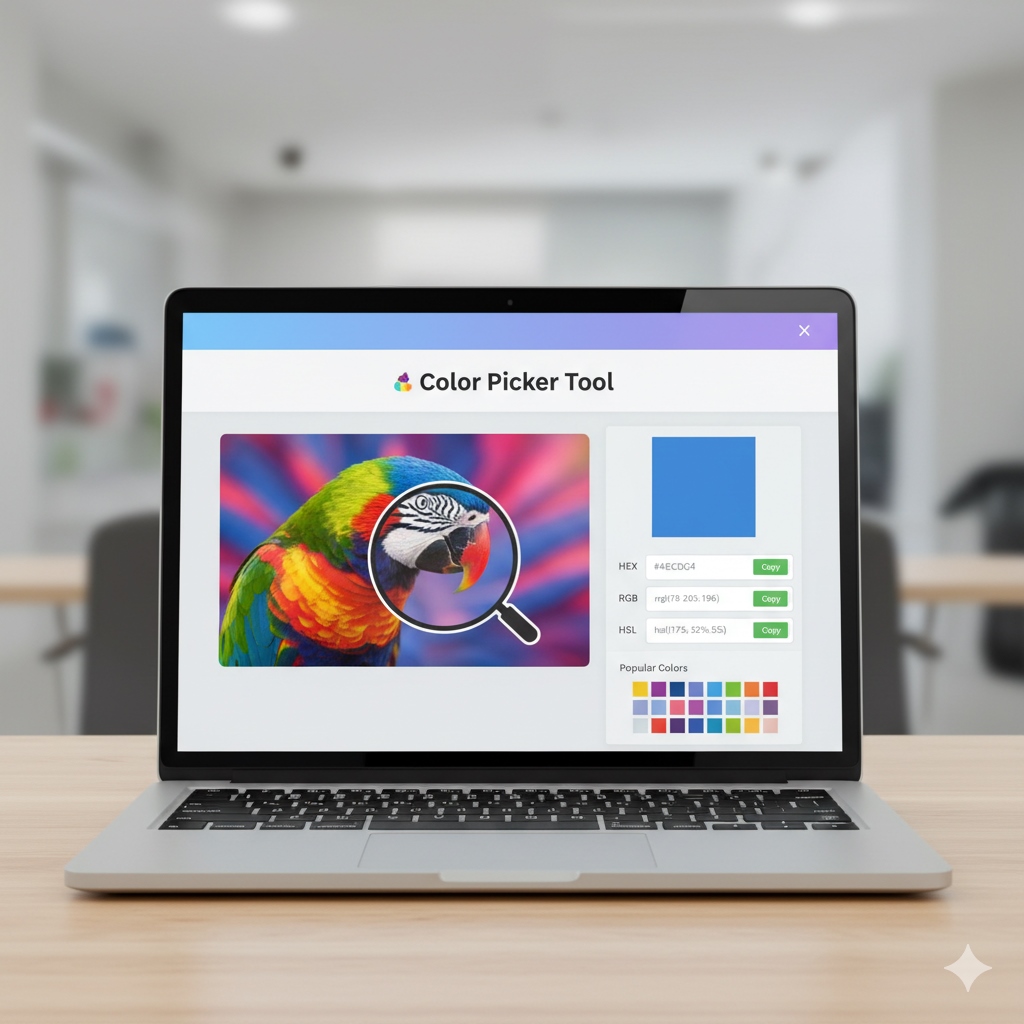
How to Use Our Image Color Picker Tool
Our tool is designed to be simple, fast, and intuitive. Follow these four easy steps to get the perfect color code every time:
- Upload Your Image: Click the “Upload Image” button to select a file from your computer. You can also drag and drop your image directly into the upload area or paste an image from your clipboard.
- Hover to Select: Once your image appears, move your mouse cursor over it. A magnified eyedropper will show you exactly which pixel you are selecting.
- Get Instant Codes: As you move the cursor, the color preview box will update in real-time, displaying the selected color. Alongside it, the exact HEX, RGB, and HSL values will appear instantly.
- Copy with One Click: Found the perfect shade? Just click the “Copy” button next to the code you need, and it will be saved to your clipboard, ready to be pasted into your CSS, design software, or any other project.
Understanding Your Color Codes: HEX vs. RGB vs. HSL
Our tool provides three of the most common color code formats. Here’s a quick guide to what they mean and where to use them. Colore code from image.
What is a HEX Code?
A HEX (Hexadecimal) code is a six-digit combination of numbers and letters that represents a color. It starts with a hash symbol (#), like #4FACFE. HEX codes are the most common format used in web design and development (CSS) because they are compact and easy to share.
What is an RGB Code?
RGB stands for Red, Green, and Blue. An RGB code specifies a color by defining the intensity of these three primary colors on a scale from 0 to 255. For example, rgb(79, 172, 254) represents the same blue as the HEX code above. This format is widely used in digital design and photo editing software.
What is an HSL Code?
HSL stands for Hue, Saturation, and Lightness. This format is often considered more intuitive for humans because it represents color in a way that’s closer to how we perceive it.
- Hue is the color’s position on the color wheel (0-360).
- Saturation is the intensity of the color (0-100%).
- Lightness is how light or dark the color is (0-100%).
Who Can Benefit from an Online Color Picker?
This tool is a valuable asset for anyone working with digital colors. Here are just a few examples:
- Web Developers & Designers: To perfectly match brand colors, create seamless gradients, and build beautiful CSS for websites.
- Graphic Designers: To ensure color consistency across logos, brochures, and marketing materials.
- Digital Artists & Illustrators: To create stunning color palettes by extracting shades from reference images and photographs.
- Social Media Managers: To design on-brand, visually appealing posts that grab attention.
- DIY Enthusiasts & Hobbyists: For any creative project that requires precise color matching.
Frequently Asked Questions (FAQ)
How can I find a color code from an image?

You can easily find a color code from any image using our free online tool. Just upload your image, click on the desired color, and the tool will instantly give you the corresponding color codes (including HEX, RGB, and HSL values).
Do I need to install any software to use it?
No, not at all. This is a fully browser-based online tool. It works directly on this webpage without requiring any downloads or installations.
Does this tool provide all types of color codes from an image?
Yes, our tool provides the most common and essential color codes used by designers and developers. Once you select a color on your image, you’ll instantly get its HEX, RGB, and HSL values, which are compatible with most design software and web applications.
Can I use this color picker on my mobile phone or tablet?
Absolutely! Our tool is fully responsive, meaning it is designed to work flawlessly on all devices, including desktops, tablets, and smartphones.
What is the difference between “color code by image” and “color code from image”?
Both phrases refer to the same process: extracting a specific color’s code from a digital image. Search engines understand that users are looking for a tool that can “pick” a color from a photo. Our tool is designed to do exactly that, providing you with accurate codes for your designs or projects.
Is this a “color code from image online” tool?
Yes, our tool is a completely free, web-based image color picker. You don’t need to download or install any software. You can access it anytime, from any device, to quickly get the color codes you need.
Custom Write HEX and RGB Codes - Image Color Picker
Use our free Image Color Picker to instantly extract HEX, RGB, and HSL color codes from any photo.
Operating System: Web
Application Category: Utility Application